|
Our donation system has been updated to be performed 100% inside the game. Follow the steps below: Step 1: Access the MenuClick on the corresponding donation icon on the right bar of your client. This method is only available on the Windows version. 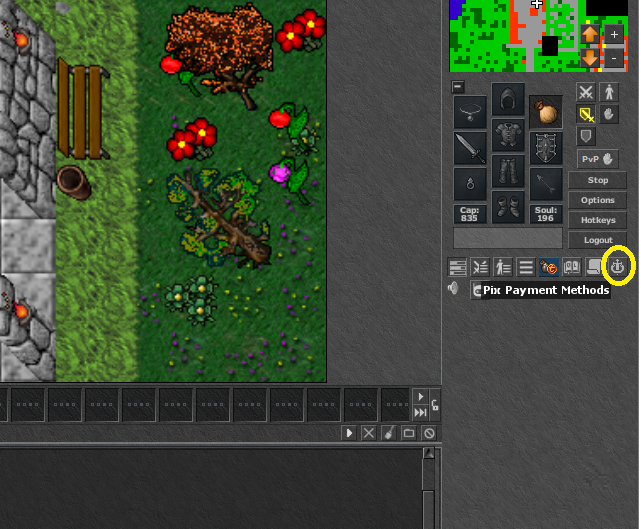
Step 2: Set ValuesEnter the requested data and the amount of points you want to purchase to make the payment. 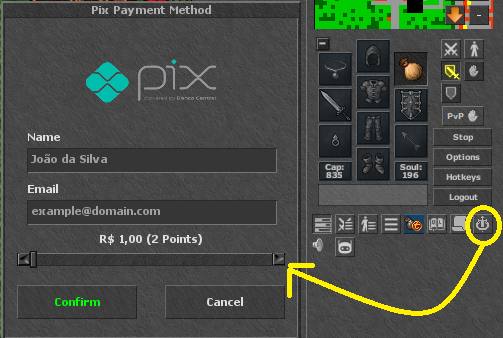
Step 3: Payment and ReceiptA PIX QR Code will be generated on the screen. Make the payment via your bank app. Automatically after validation, your points will be added to your account. 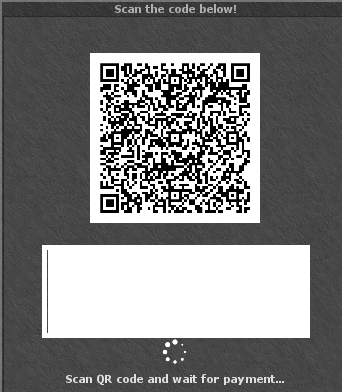
🔒 Privacy and SecurityThis new integrated system was adopted to ensure total privacy for players and increase security in transactions, processing everything directly through the client without exposing your data in external browsers. In case of doubts or difficulties, contact us via Discord or a GM through the Help channel inside the game. |