Official Client Download
With the arrival of new items, client update is mandatory. Choose the ideal version for your device below.
PC Client Windows (Installer .exe)
This is the standard and recommended version for computers.
- Advantages:
- ✅ Stable version with automatic updates.
- ✅ Integrated Bot and Autoloot working.
- ✅ Full support for new items.
PC Client (Raw Files .ZIP)
RECOMMENDED OPTION if the installer download is blocked!
Download this ZIP file and **just extract** the content to any folder. Avoids antivirus false positives.
📱 NEW! Android Client (.APK)
Play wherever you want! Official client ported to Android phones.
- ✅ Portable: Play anytime, anywhere.
- ✅ Same Account: Use your PC characters on mobile.
- ⚠️ Attention: You must enable installation from unknown sources on your Android.
🚨 Error Solution: "A Timeout Occurred" 🚨
If you receive the **"A Timeout Occurred"** error when starting the client, follow these steps to force a correct update:
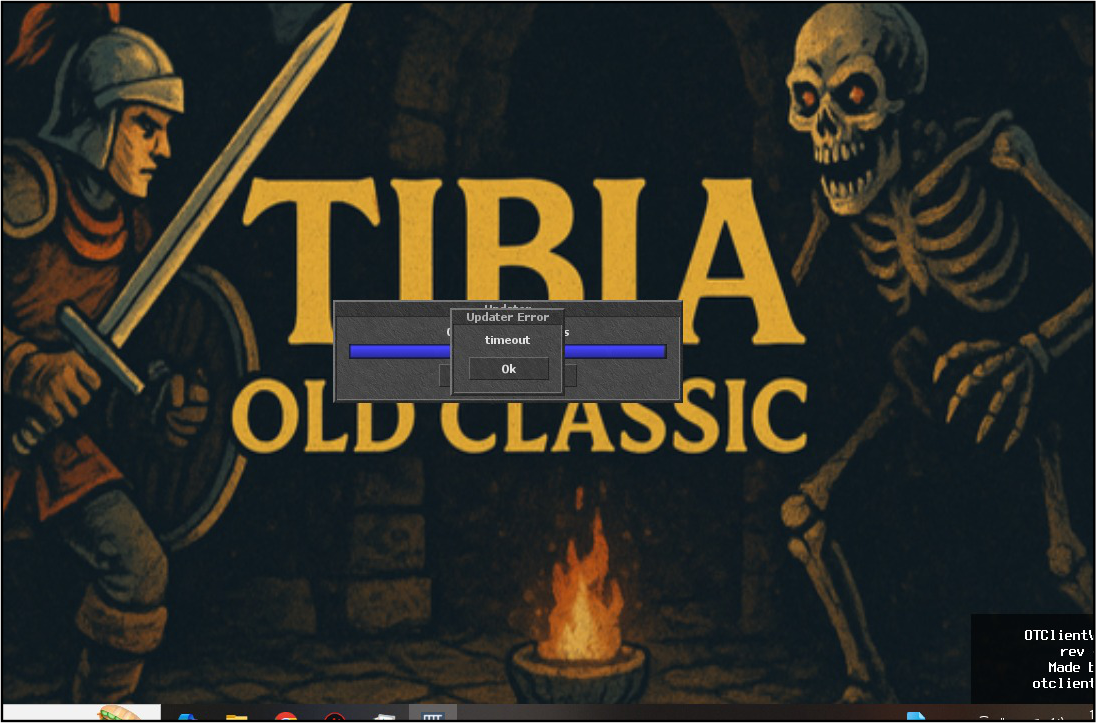
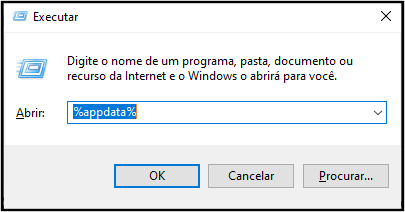
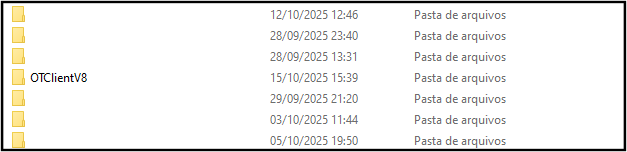
AFTER THE STEPS: Run the client again. It will perform an automatic update and fix the error!
EXTRA UPDATE: Main Mini Map Revealed!
We have released the Main Mini Map (cities and surroundings) already explored for the OTv8 Client.
ATTENTION: Dungeons and hunting areas are NOT explored, requiring you to discover them!
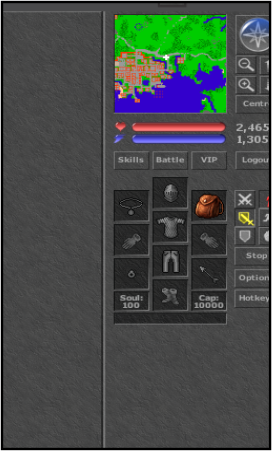
Prerequisite: You must have opened the client at least once and logged into the game for the folder to be created.
IMPORTANT: This process must be done with the OTv8 Client CLOSED.
Follow the steps to install the revealed mini map:
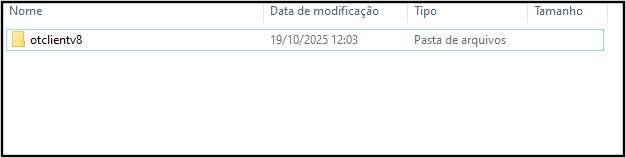
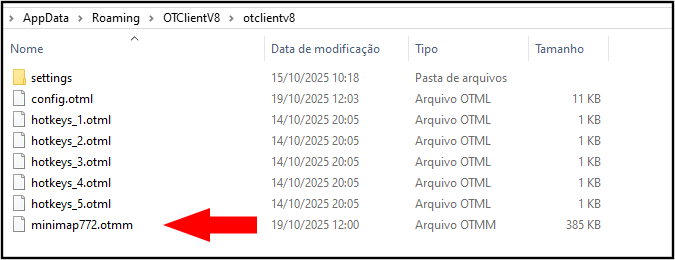
AFTER ALL STEPS: Log in to the OTv8 client again to load the mini map.